


Tap
NFC · CONTACTLESS
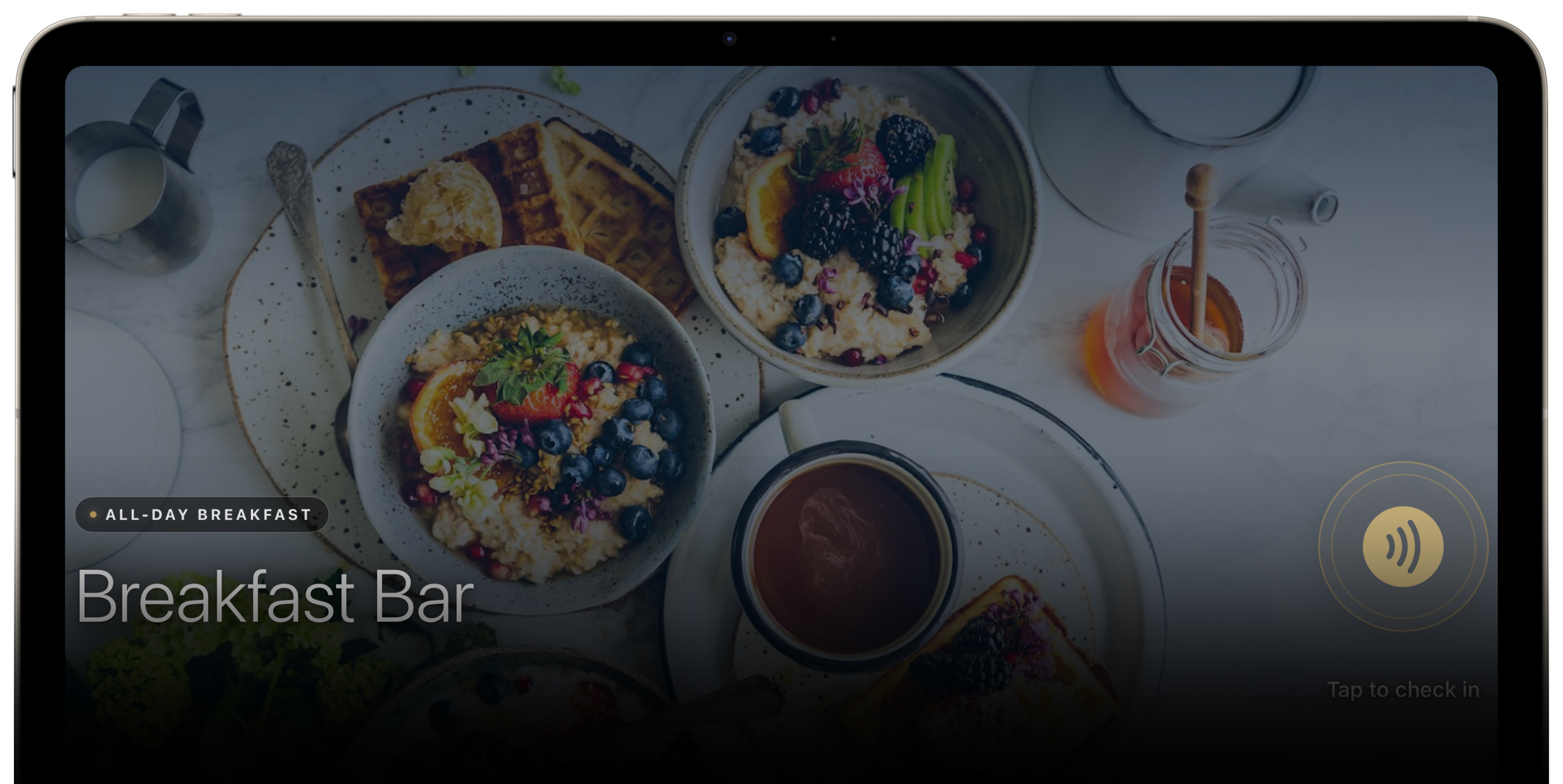
Guests tap their physical card or mobile credential. Dual-ring pulse animates around a contactless icon while the read completes.

Meal Plan Transactions Made Simple.
Made for iPad.
BalanceU Kiosk is a native iPadOS application that turns an iPad into a self-service check-in kiosk for dining halls, cafeterias, and any program that needs closed loop payments against your meal program. Mounted at each station, it reads a users ID credential, applies your meal-plan or program business rules, and returns instant on-brand feedback.
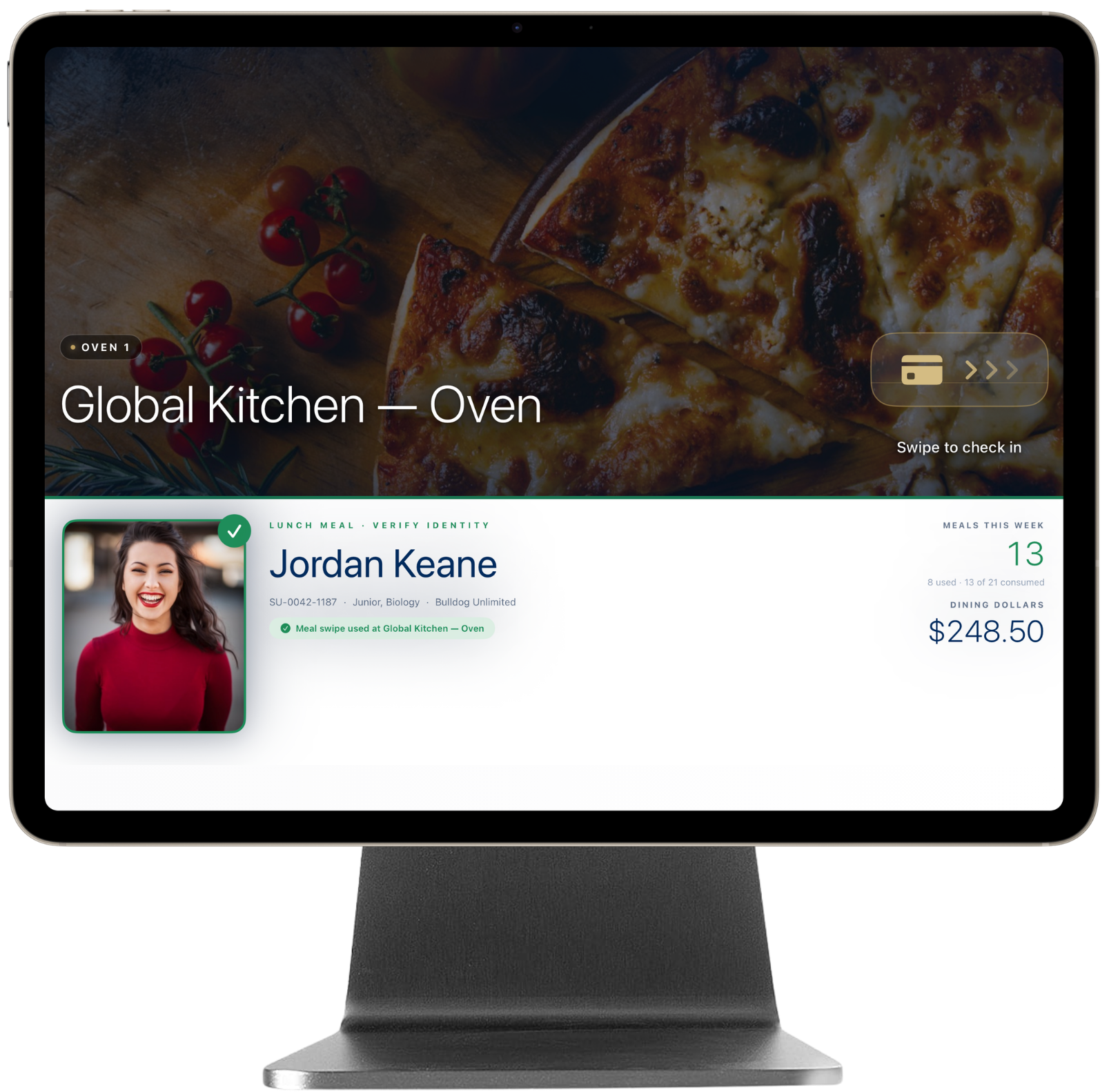
The optional magnetic stand cradles iPad Pro and powers it through the Smart Connector — so the USB-C port stays free for your peripheral reader.
This set up requires iPad Pro 11″ or 13″ (M4 or M5).
Configure each kiosk for the reader at the station. The guest-facing flow is identical across all three.
NFC · CONTACTLESS
Guests tap their physical card or mobile credential. Dual-ring pulse animates around a contactless icon while the read completes.
Magnetic stripe
For legacy magstripe-equipped stations. Animated chevrons slide across a card-slot visual to direct the swipe.
Live camera preview
Corner brackets pulse around the camera feed. Supports QR, EAN-8/13, Code 128, Code 39, and PDF 417 out of the box.
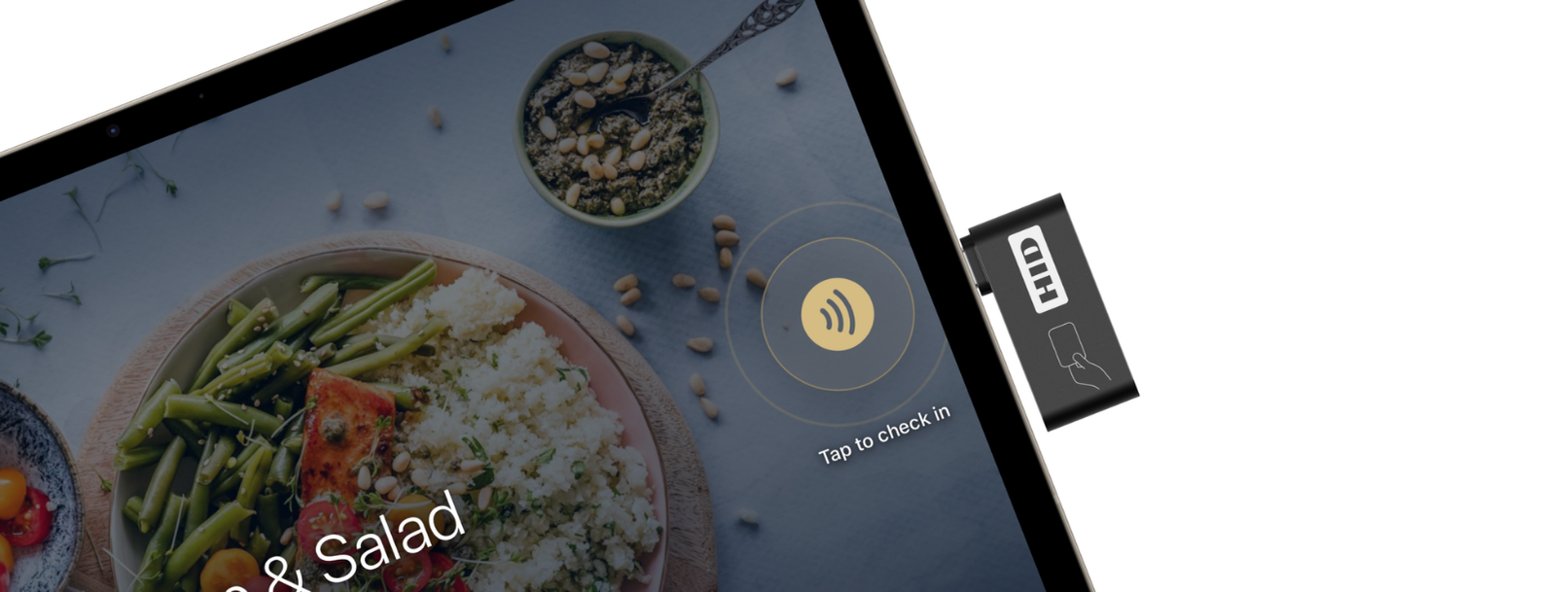
A discreet HID accessory plugs straight into the iPad’s USB-C port. No external power. No extra cables. No countertop hardware competing for attention.

The default for unattended kiosks. Guests tap, see a colour-coded confirmation, and move on. No staff in the loop.
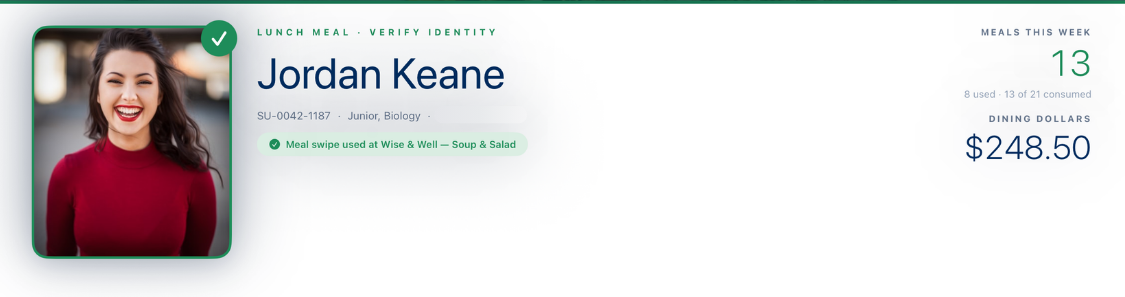
The drawer opens further to show the guest’s photo, name, plan, and balances — so staff can verify identity visually. Same hardware. Different presentation.
BalanceU Kiosk auto-detects the current meal period from time of day and applies the right rule.
First screen asks for your organization’s domain. SSO lives behind it. The app skins to your institution’s colors, logos, and station data — no code changes per tenant.
iPad landscape, iPad portrait — one app, two form factors. Station name, reader graphic, and full-bleed photo recompose for each.
A discreet PIN-protected gesture summons the admin screen. Default PIN configurable per kiosk. Guests never see an admin button.
Tap queue persists locally when the network is down. Background sync retries automatically. “Reader offline” surfaces clearly to the guest.
Single App Mode / Guided Access ready. MDM-deployable. 30-second heartbeats to your admin console. Fleet-wide health, traffic, and audit logging out of the box.
Distinct tones for accepted swipes, denied swipes, and outside-meal-period scans — so staff and guests hear the result without looking at the screen.
See how BalanceU Kiosk shortens the cafeteria station lines.